


What is Google Maps Data Scraper PRO Plus?
Google Maps Data Scraper PRO Plus is a powerful software tool designed to extract valuable data from Google Maps efficiently. This tool is particularly useful for businesses, marketers, and data analysts who need to gather large amounts of information quickly and accurately. By automating the data extraction process, Google Maps Data Scraper PRO Plus saves users significant time and effort, allowing them to focus on analyzing and utilizing the data for their specific needs.
Google Maps Data Scraper PRO Plus for Windows
One of the standout features of Google Maps Data Scraper PRO Plus is its compatibility with Windows operating systems. This ensures that a wide range of users can take advantage of its capabilities, regardless of their technical expertise. The software is designed to be user-friendly, with an intuitive interface that makes it accessible even to those who are not particularly tech-savvy. Whether you are running Windows 7, 8, or 10, you can easily install and use Google Maps Data Scraper PRO Plus without any compatibility issues.
How to Use Google Maps Data Scraper PRO Plus
Using Google Maps Data Scraper PRO Plus is straightforward, thanks to its intuitive design and clear instructions. Here’s a step-by-step guide on how to get started:
- Install the Software: Download the Google Maps Data Scraper PRO Plus installer from the official website and follow the on-screen instructions to install it on your Windows computer.
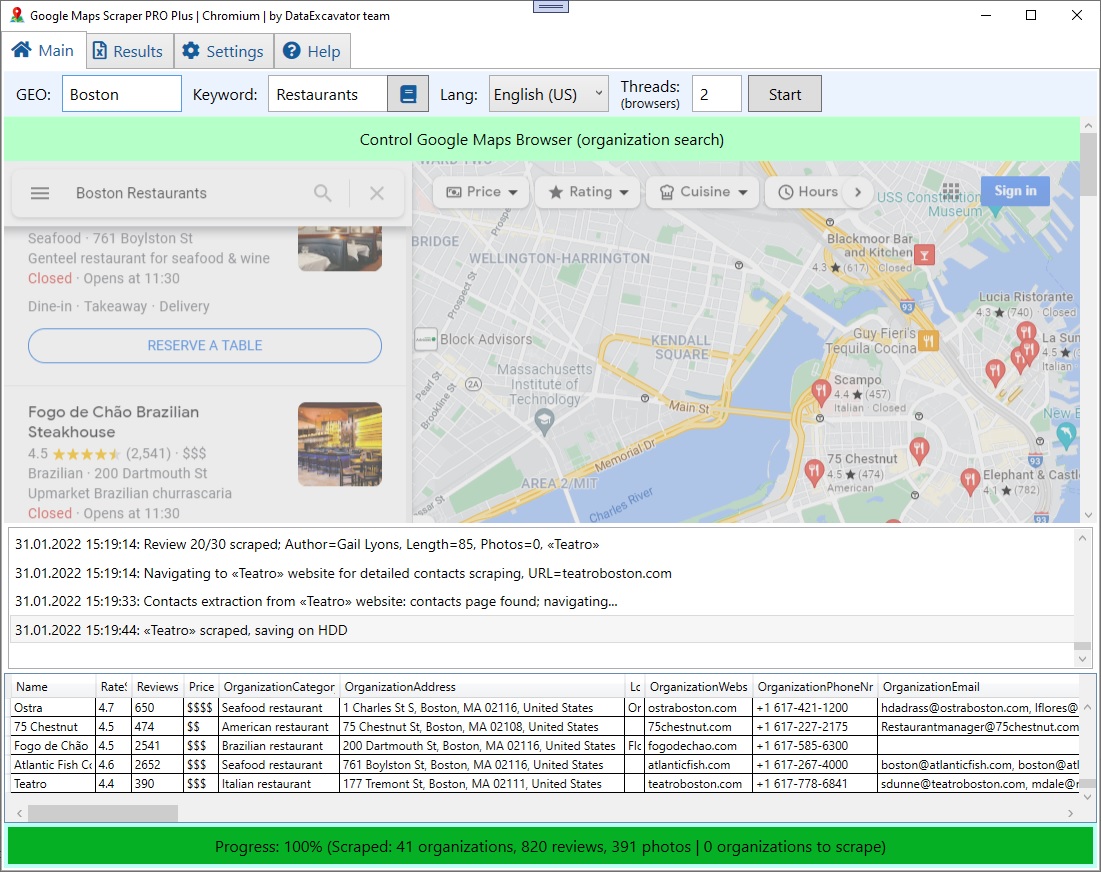
- Launch the Application: Once installed, open the software to access the main dashboard.
- Set Your Parameters: Input the specific criteria for the data you wish to extract, such as location, business type, or keywords.
- Start Scraping: Click the 'Start' button to begin the data extraction process. The software will automatically scrape the relevant information from Google Maps based on your parameters.
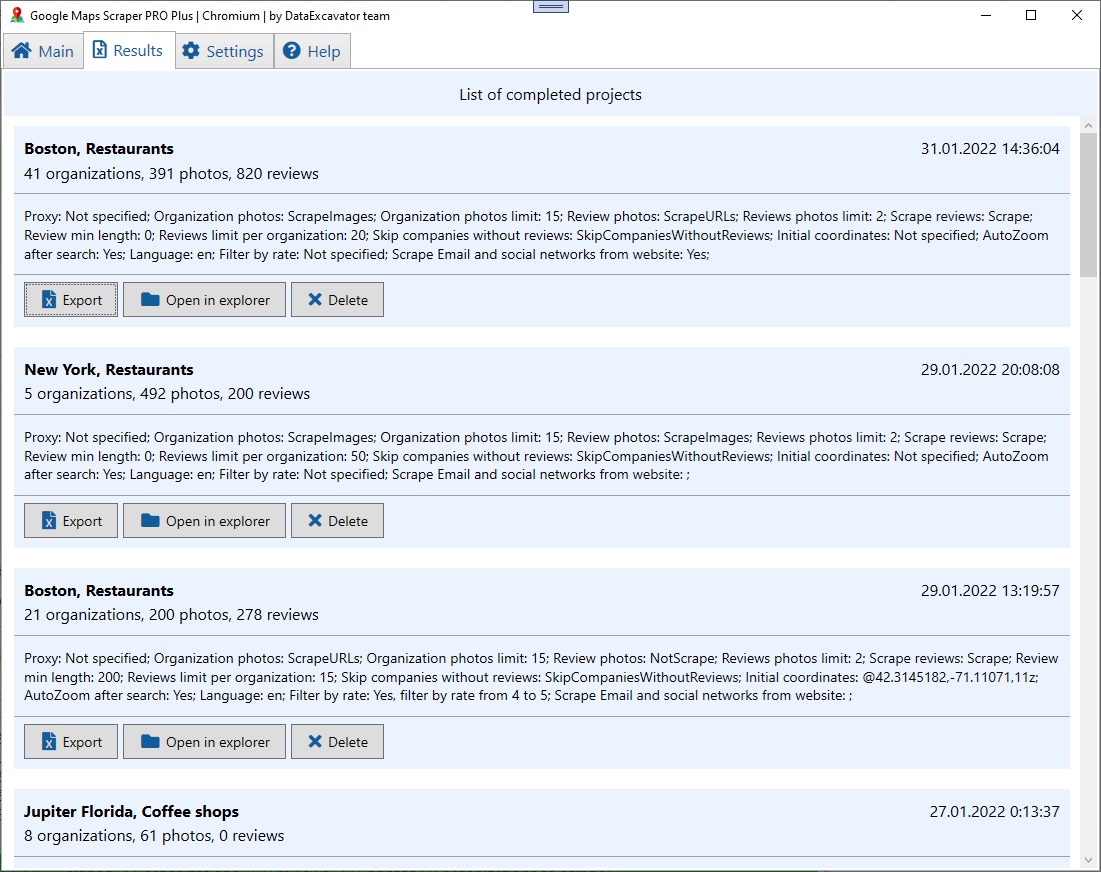
- Export Data: After the scraping process is complete, you can export the collected data in various formats, such as CSV or Excel, for further analysis.
How to Extract Leads from Google Maps
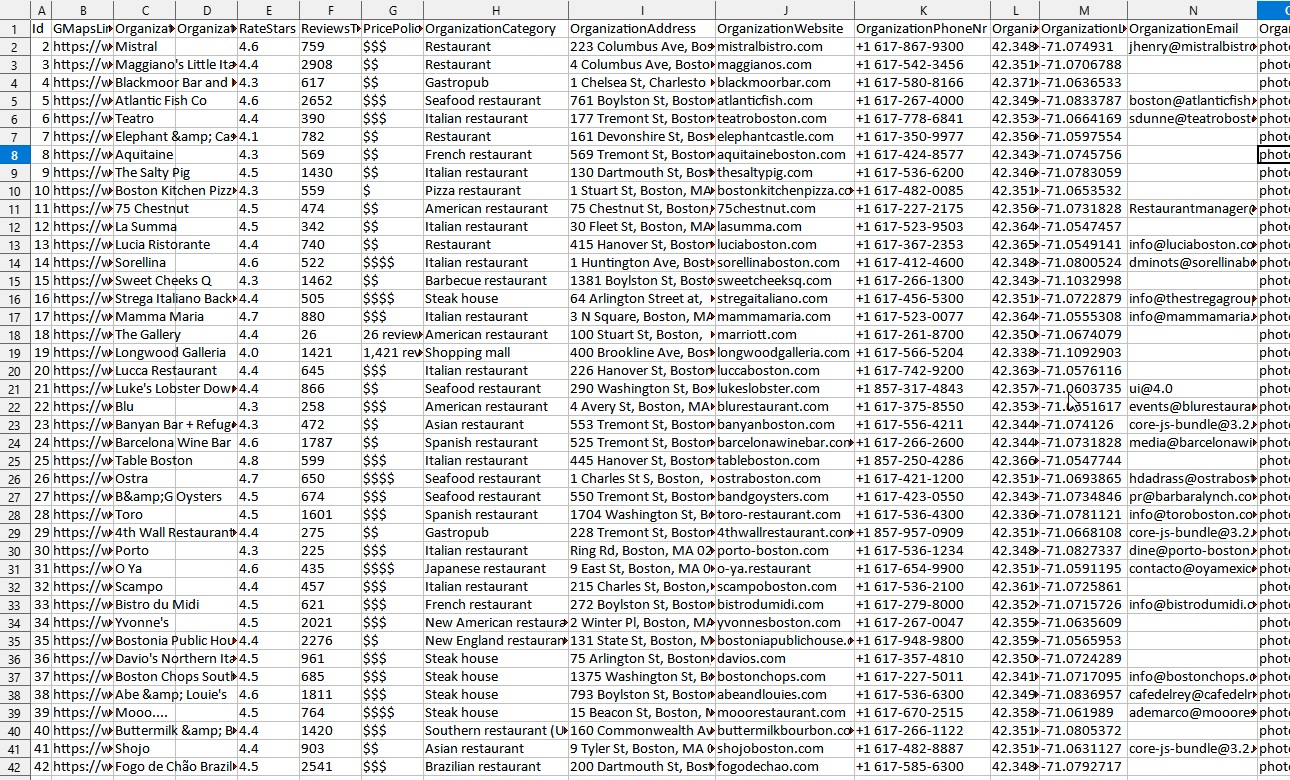
Google Maps Data Scraper PRO Plus excels at extracting a wide range of data types from Google Maps, including business names, addresses, phone numbers, websites, and more. Here’s how you can extract data efficiently:
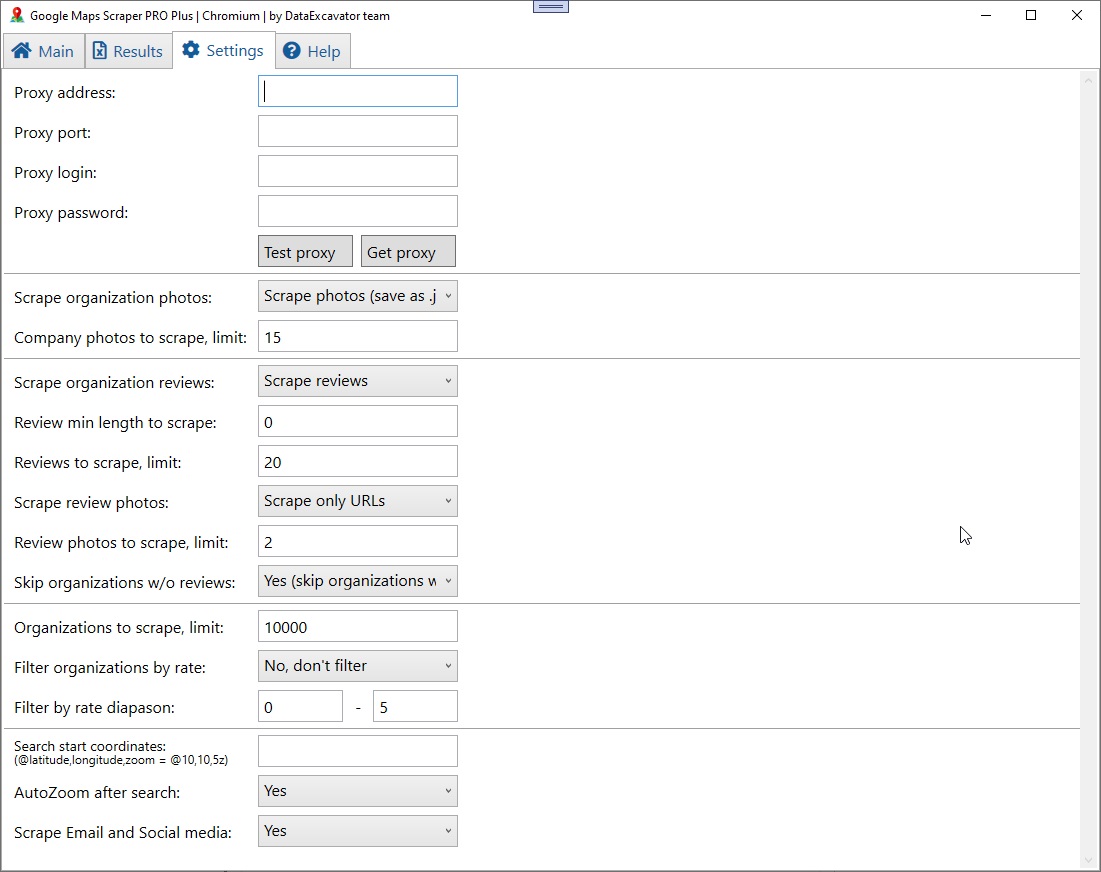
- Select the Data Fields: Choose the specific data fields you want to scrape from Google Maps. The software allows you to customize the fields according to your requirements.
- Filter Results: Apply filters to narrow down the search results based on criteria such as ratings, reviews, or distance.
- Automated Scraping: Initiate the automated scraping process, where the software will systematically gather the data from Google Maps entries that match your criteria.
- Review and Export: Once the scraping is complete, review the collected data for accuracy and completeness. Export the data to your desired format for use in your projects or analyses.
By following these steps, you can efficiently utilize Google Maps Data Scraper PRO Plus to gather the essential data you need from Google Maps, streamlining your data collection process and enhancing your productivity.
In conclusion, Google Maps Data Scraper PRO Plus is an invaluable tool for anyone needing to extract detailed information from Google Maps quickly and efficiently. Its user-friendly interface and powerful features make it an essential addition to your data collection toolkit.
-
 1
1
Join the conversation
You can post now and register later. If you have an account, sign in now to post with your account.
Note: Your post will require moderator approval before it will be visible.